

iPhone appComing soon to the App Store
The business card app for iPhone, in your company's brand
With the Brandesk app, every employee carries their digital business card on their iPhone: a QR code that works offline, one-tap sharing, scanning for the paper cards people hand them, and all their contacts in one place.
- Free app, with your company account
- iPhone with iOS 26 or later
- No ads, no tracking
A business card always in your pocket
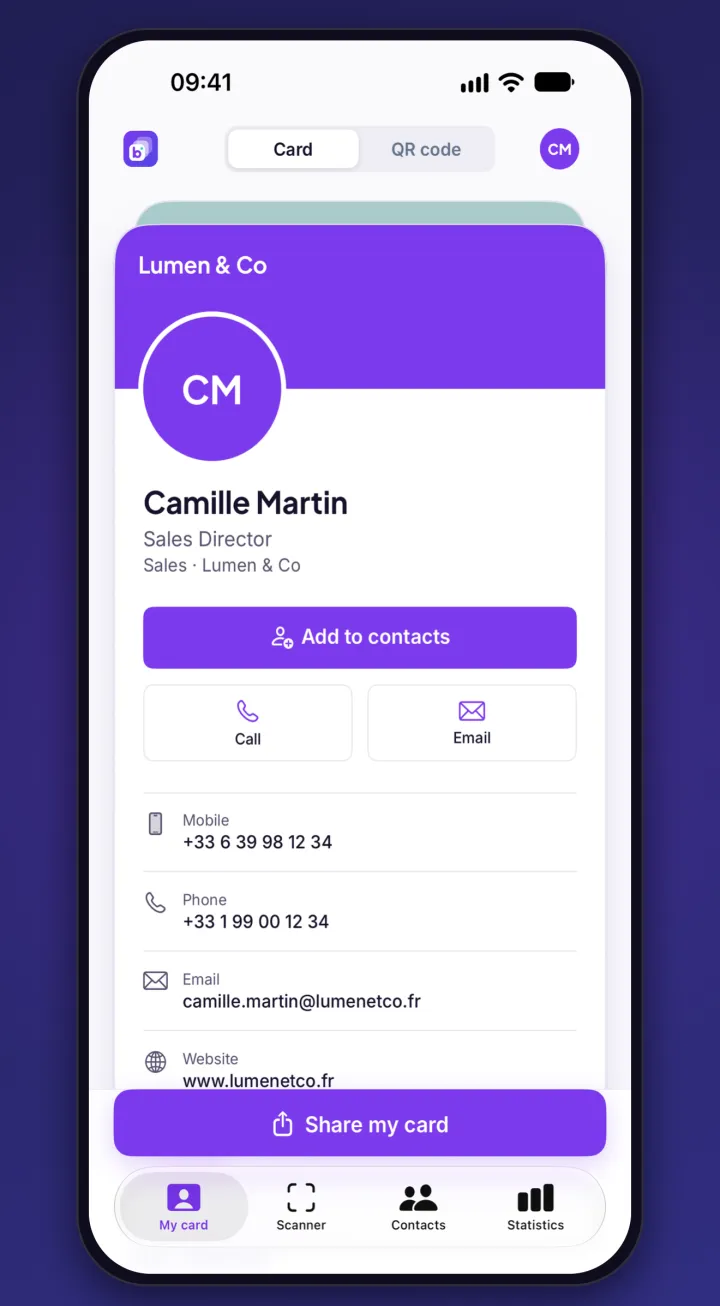
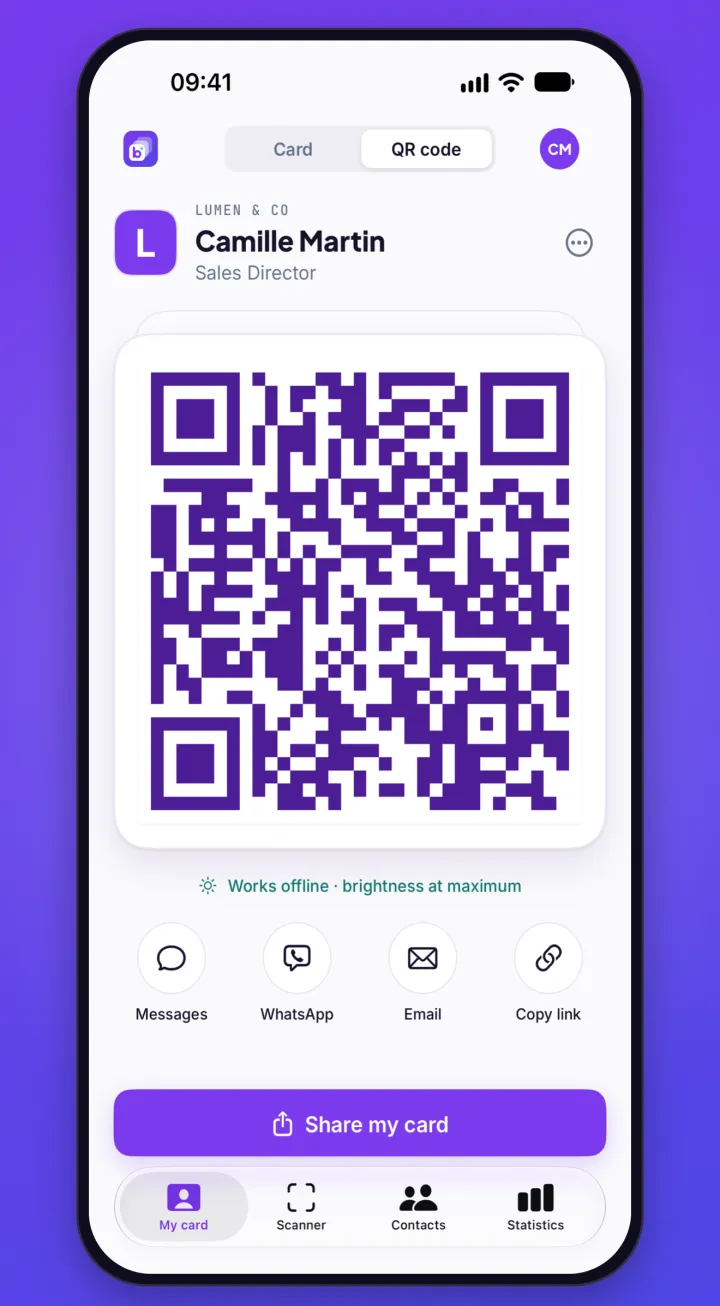
Each employee finds their digital card in the app, in the design your company chose.
- A QR code that works offline, shown at full brightness.
- Share by Messages, WhatsApp, email, AirDrop or link. People open the card without installing an app and can send their details back.
- Apple Wallet, Apple Watch included, Home Screen and Lock Screen widgets, a Control Center shortcut.
- Several cards? Swipe from one to the next.
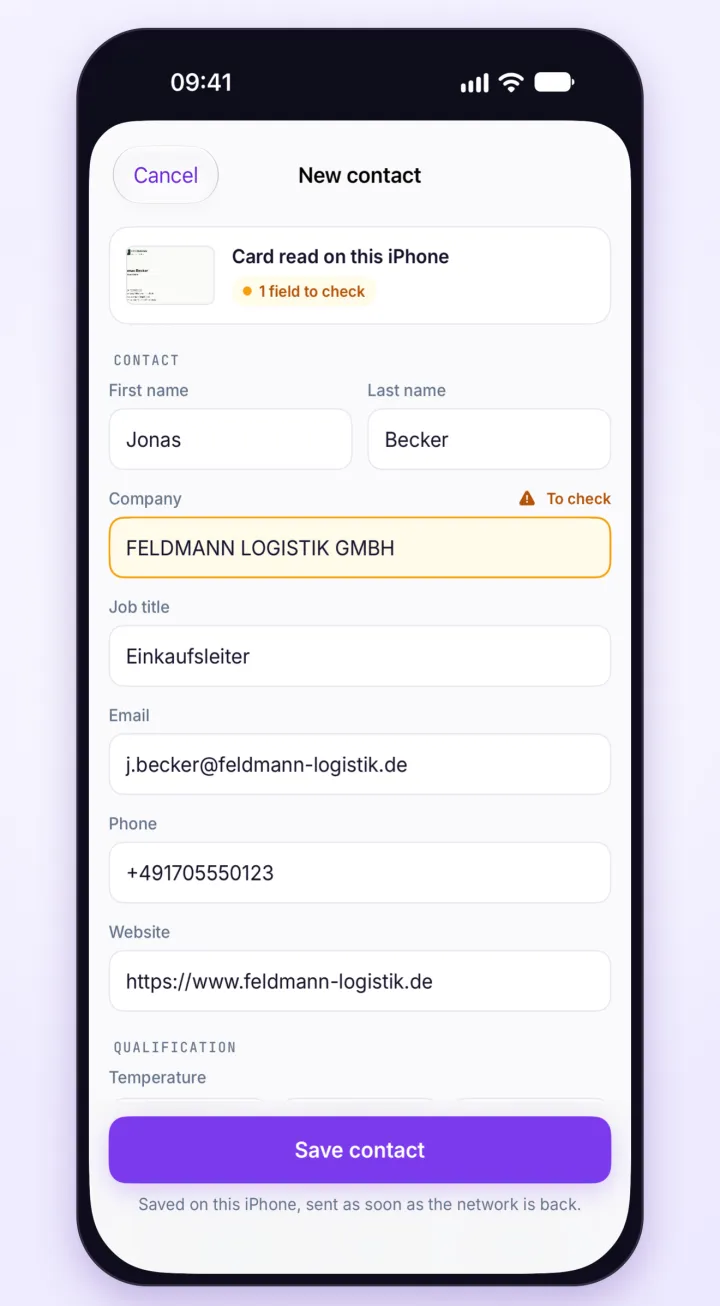
Paper business cards, scanned in seconds
At a trade show or a meeting, the cards you receive become contacts, with no retyping.
- Name, company, job title, email and phone are read right on the iPhone.
- Fields to check are flagged. The employee completes them and adds a note or a tag (trade show, product…).
- No card? Type the contact in.
- Offline, the contact is saved on the iPhone and sent as soon as the network is back.
- The card photo is kept with the contact only if your company chose to.
All contacts in one place, even offline
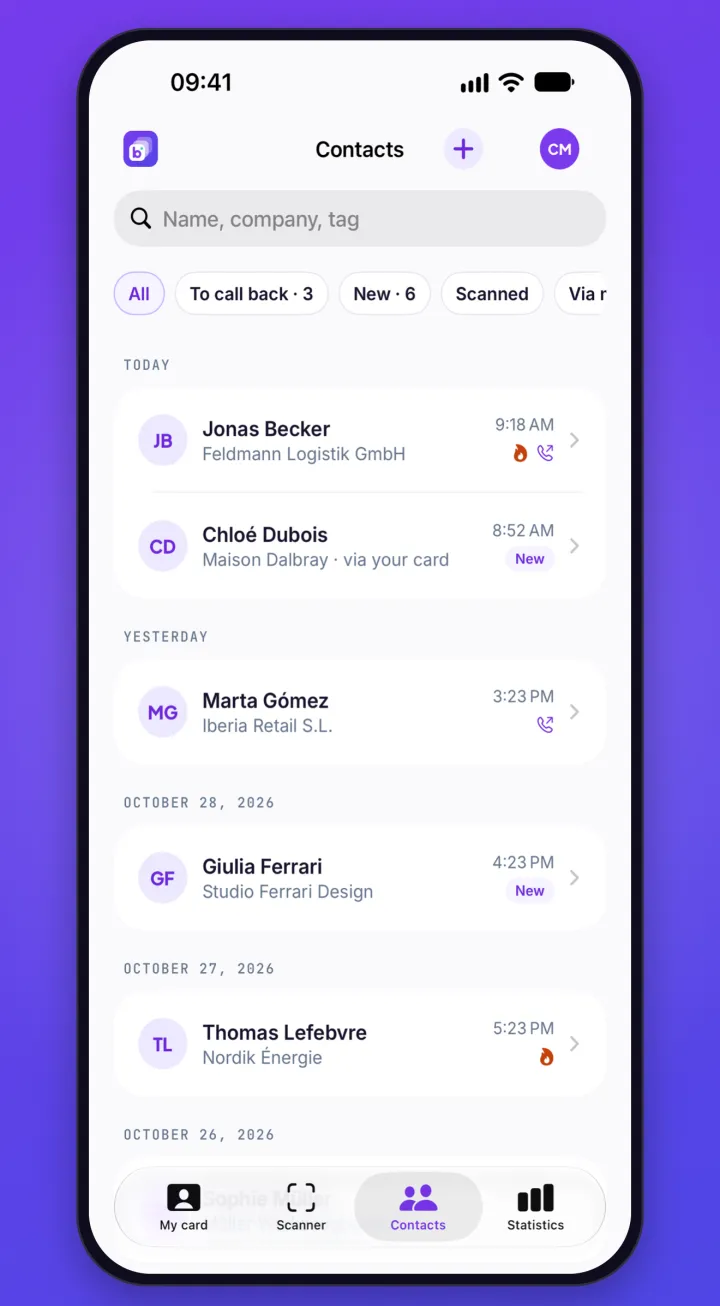
Contacts received through the digital card and the ones scanned on the spot are gathered in the app.
- People who left their details with “Exchange my details”, and the ones the employee scanned.
- Search, filters, temperature, notes and tags.
- Follow-up status: new, to call back, handled.
- Contacts are saved in your company's Brandesk account, not only on the iPhone.
Statistics for every card
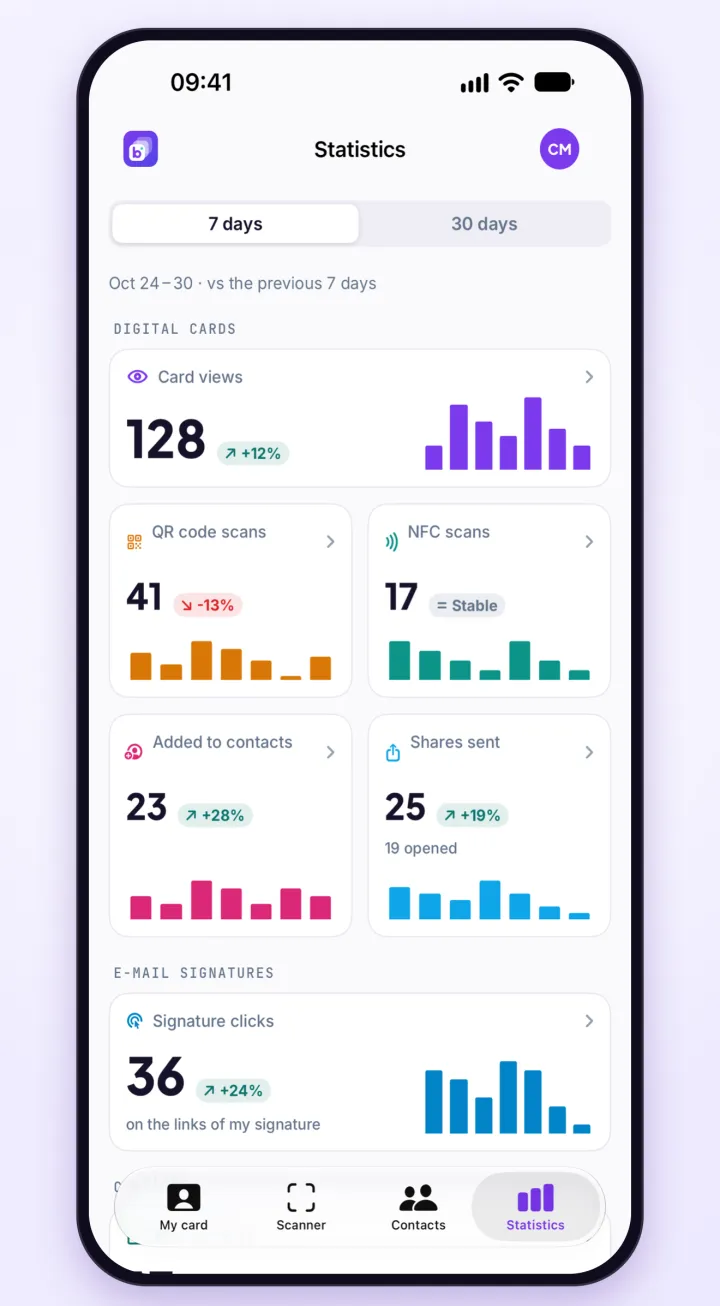
Each employee sees how their card is used, over 7 or 30 days, compared with the previous period.
- Views of their cards, QR code and NFC card scans.
- Shares, cards saved to an address book and new contacts.
NFC cards, managed from the iPhone
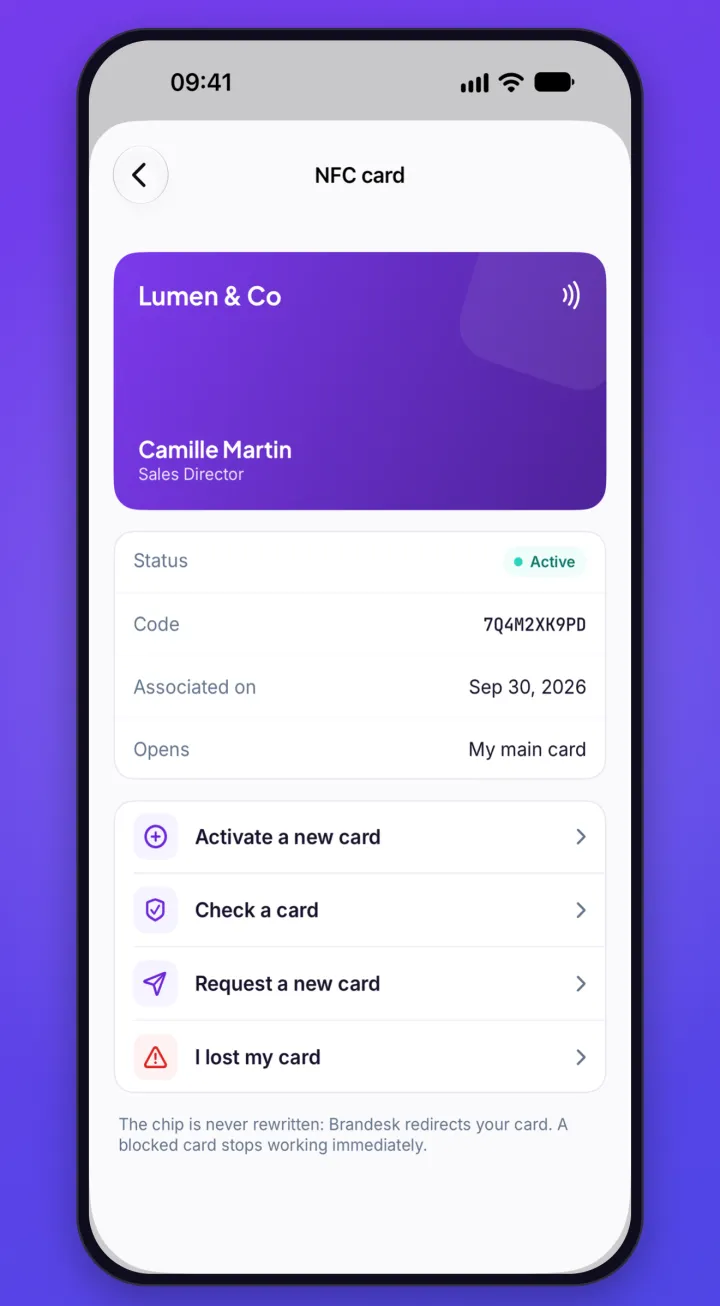
Employees take care of their NFC card without a computer.
- Activate: hold the Brandesk NFC card your company provided near the iPhone.
- Check: hold a card near the iPhone to see the business card it opens.
- Lost card: it is blocked right away, and requesting a new one lets the admin know.
Built for companies
The app extends your company's Brandesk account: you stay in control of cards, contacts and access.
- No sign-up in the app: the admin invites employees, who sign in as they do on the web (password, email code, Google, Microsoft or SSO).
- Cards keep the design your company chose.
- Contacts belong to the company. When an employee is no longer part of the organization, their account's data is erased from the iPhone.
- A feature not included in your plan shows “Ask my admin”: nothing is sold in the app.
- No ads, no tracking.
Equip your employees
-
1
Invite them
From the employee list, the Brandesk admin sends each of them an email invitation.
-
2
They install the app
The app is free on the App Store, for iPhone with iOS 26 or later.
-
3
They sign in
With the company account, as on the web, SSO included.
-
4
Their card is ready
QR code, sharing, Apple Wallet and card scanning, from the first sign-in.
FAQ
Frequently asked questions
How much does the Brandesk app cost?
The app is free and nothing is sold in it. It works with your company's Brandesk subscription. The digital card, scanning and contacts are part of the Signature + Cards plan: €2.10 excl. VAT per active employee per month, or €1.69 with annual billing. See pricing.
Can I use the app without a company account?
No: there is no sign-up in the app. It works with the account the company created for the employee. To equip your company, start with the 14-day free trial.
Do the people I meet need the app?
No: the card opens in their browser, on iPhone and Android alike. They can add it to their contacts or send their details back.
Is there an Android app?
No, the app is available on iPhone only. On Android, employees keep their digital card on the web, with its QR code, its link and Google Wallet.
Where are paper cards read?
On the iPhone itself. The saved contact is then sent to your company's Brandesk account; the card photo goes with it only if your company chose to.
Which iPhone do I need?
An iPhone with iOS 26 or later. The card's Apple Wallet pass also shows on Apple Watch.
Where can I get help with the app?
On the iPhone app support page: sign-in, scanning, NFC card and error messages.
Your brand deserves to be consistent everywhere.
Get Brandesk up and running in minutes. 14 days free, no credit card required.